Technical Standardization Guide for Graphic Editors, Retouchers, and Localization Managers
Key Takeaways
- SFX Localization: Localizing SFX requires isolating line art, screentones, and gradients without destroying background pixels.
- Art Reconstruction: Repositioning vertical panels creates art voids that require redrawing perspective, anatomy, and environment.
- Structured Workflows: Standardized multi-layered DTP file architecture ensures non-destructive editing and seamless team handoffs.
- Quality Preservation: Avoid common mistakes like blur tool overuse, screentone moiré, and flat line weights to preserve original visual quality.
- Scalable Production: In-house retouching and DTP capabilities: complex line art extraction, screentone frequency matching, and robust verticalization workflows.
Introduction: Moving from Print Grids to Vertical Infinite Scroll
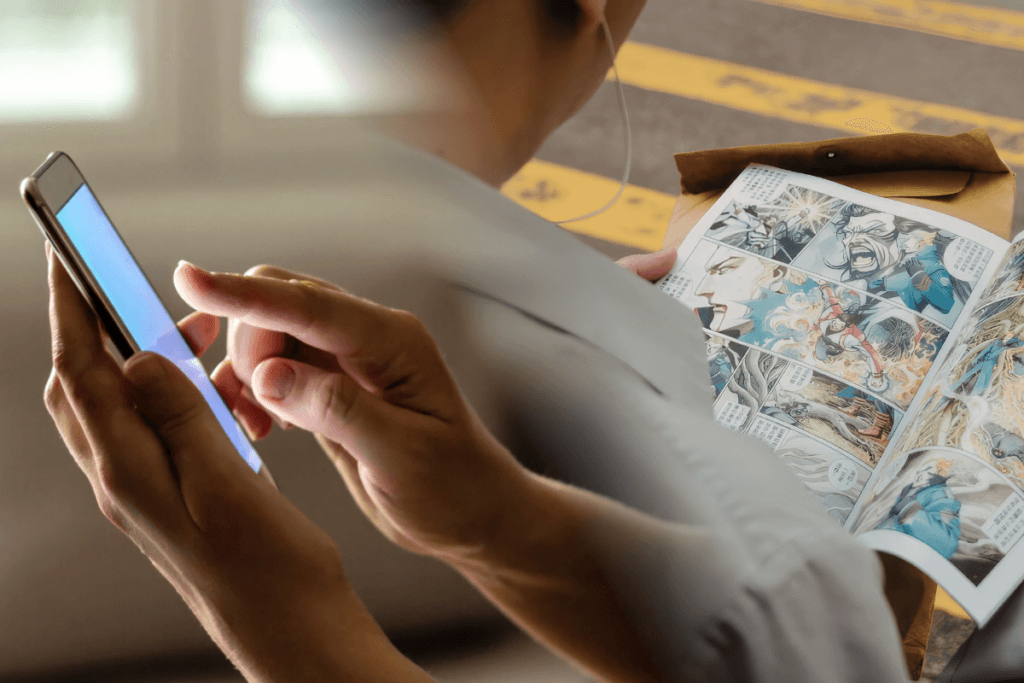
Bringing Japanese manga, Korean manhwa, and Chinese manhua into digital spaces takes a lot more than swapping out dialogue bubbles. As readers migrate en masse to mobile-first apps like WEBTOON, Tapas, and GlobalComix, localization studios face a massive technical puzzle: how do you stretch a traditional print page into an endless mobile canvas without sacrificing the creator’s artistic vision?
At the core of this creative transformation is the localized redrawing and background retouching of the sound effects (SFX). In East Asian comic art, SFX are not merely overlaid text elements. Onomatopoeia doesn’t just sit on top of the artwork. It weaves right into the line art, covers up intricate character details, cuts across perspective lines, and blends into complex screentones or soft color gradients.
When you split and re-space a traditional print layout for vertical scrolling, you inevitably expose blank spots or artwork that was previously hidden beneath massive source-language sound effects or cut off by panel borders. That’s where meticulous redrawing and background reconstruction come in.
This guide breaks down the standardized workflows, technical strategies, and best practices our teams use for high-end SFX redrawing and retouching in modern webtoon localization.
Phase 1: SFX Localization & Layer Isolation
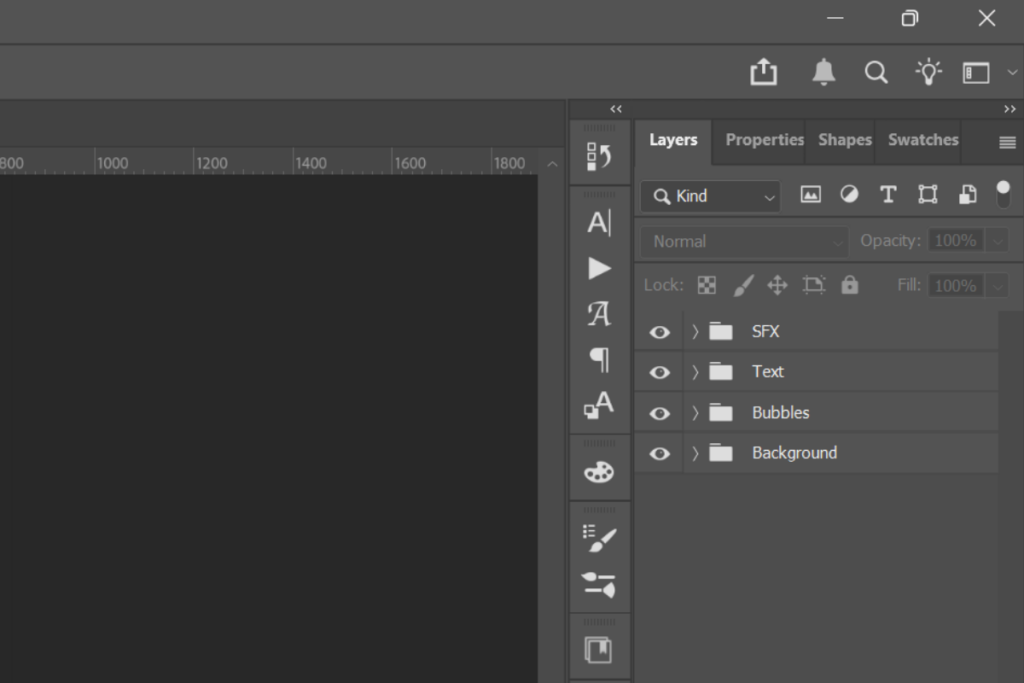
Layer Isolation is the primary objective during the asset preparation phase. Organizing layers from background artwork with minimal damage to surrounding pixels requires a distinct workflow depending on whether the source artwork is monochrome (manga) or full-color (webtoons).
Line Art vs. Screentones
Monochrome manga presents a distinct challenge: SFX constantly overlaps two distinct visual layers: sharp vector ink lines and bitmap screentones (halftone dot patterns).
- Line Art Extraction: You can skip basic selection tools like the Magic Wand, as they leave jagged, anti-aliased edges. Instead, use channel-based masking or Color Range selection in Photoshop to cleanly isolate highlights and shadows. If you’re working in Clip Studio Paint, use Select Color Gamma to lock onto black ink values with absolute precision.
- Screentone Preservation: Never smooth over or paint mindlessly across screentones. When sound effects sit on patterned dots, match the original screen frequency (lines per inch or LPI) and dot angle. Recreate that exact frequency on a separate layer using CSP’s native Tone Generator or Photoshop’s Pattern Overlay before masking out the localized SFX zone.
Color & Gradient Reconstruction
Working with flattened art is a common headache when publishers can’t provide fully layered source files. Because sound effects are often baked into the background, retouchers must reverse-engineer what’s missing. To rebuild the underlying artwork from scratch, use advanced color deconstruction, non-destructive gradient mapping, and custom brush replication.
How to reconstruct a flattened artwork:
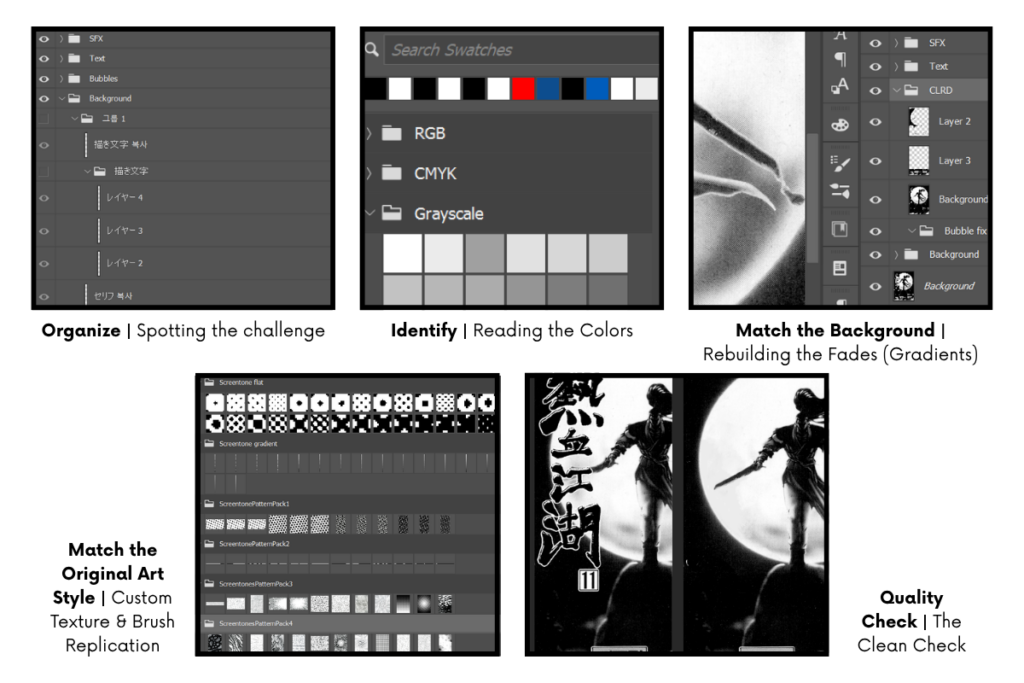
- Organize | Spotting the challenge: The editor analyzes the flattened panel to see what kind of background the sound effect is covering, whether it’s a color fade, a glowing light, or a detailed painted artwork.
- Identify | Reading the Colors: The editor picks out the surrounding colors, lights, and shadows around the sound effect to figure out what the hidden background is supposed to look like.
- Match the Background | Rebuilding the Fades (Gradients): To match the exact angle and look of the original art without permanently changing the file, the editor uses non-destructive gradient fill layers to smooth out the background color instead of manually painting over the image.
- Match the Original Art Style | Custom Texture & Brush Replication: If the background has special textures like paintbrush strokes or gritty patterns, the editor uses matching digital brushes and texture tools to recreate the original artist’s handiwork.
- Quality Check | The Clean Check: The editor inspects the reconstructed background without text to ensure zero visible seams, artifacts, or blur before laying down the localized translated SFX.
Phase 2: Panel Repositioning & Verticalization Retouching
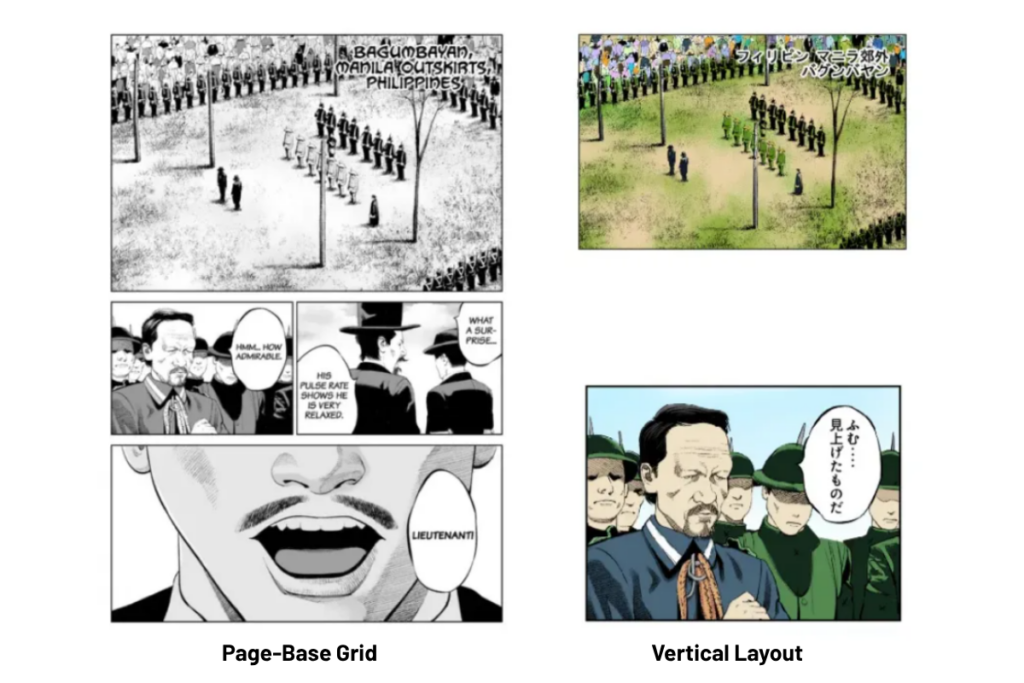
Moving from a traditional page layout to a vertical scroll feed means taking the original composition apart. You have to break the panels apart and add generous vertical spacing to keep the reader’s eye moving smoothly down the screen. For step-by-step reformatting guidelines, refer to How to Convert a Print Comic to Webtoon Format..
Adapting Grid Layouts to Vertical Canvases
- Platform Canvas Standards: Major global webcomic distribution hubs strictly enforce fixed canvas widths and file constraints. You can review the official requirements directly on LINE Webtoon’s Creator Submission Guidelines (which specifies the standard 800px width limit) and Tapas’s Series Formatting & Image Specs Guide (which outlines maximum canvas dimensions up to 940px).
- Vertical Pacing & Canvas Setup: To explore digital DTP techniques for controlling story rhythm through vertical panel gaps, refer to the Clip Studio Paint Official Webtoon Formatting Guide, which details canvas slicing, DPI settings, and spacing logic for mobile screens.
- Format & Workflow Tutorial: For a practical visual breakdown of preparing vertical layouts and managing multi-slice image exports, see the video tutorial How I Make a Vertical Scrolling Webtoon.
Redrawing What Was Hidden: Backgrounds & Characters
When sound effects are removed, editors are left with blank “holes” in the artwork. To keep the art looking untouched, retouchers must carefully rebuild missing parts, like lines and textures, so they look like the original artist drew them.
Element Type | Primary Challenge | Technical Solution & Tooling |
|---|---|---|
Buildings & Backgrounds | Ensuring walls, doors, and perspective lines align correctly across the blank space. | Using digital perspective grid tools to accurately extend straight lines, angles, and 3D shapes. |
| Character Anatomy | Keeping body shapes, muscle proportions, and line thickness natural. | Sketched alignment checks for bones/joints, drawn with pressure-sensitive digital pen brushes to match the artist’s original line weight. |
| Atmosphere & Effects | Matching glowing lights, floating dust, smoke, or fire. | Using custom digital paintbrushes that spray and scatter particles with the same opacity and texture as the original artwork. |
Visual Continuity Across Extended Panels
When an action sequence or continuous background spans multiple vertical frames, editors must ensure seamless visual flow. A single misaligned line or jarring perspective break ruins the scroll flow. Set up temporary guide grids or overlapping reference layers to verify that background extensions in upper panels fluidly connect with the top of lower panels during vertical scrolling.
Phase 3: Multi-Layered DTP File Architecture & Workflow
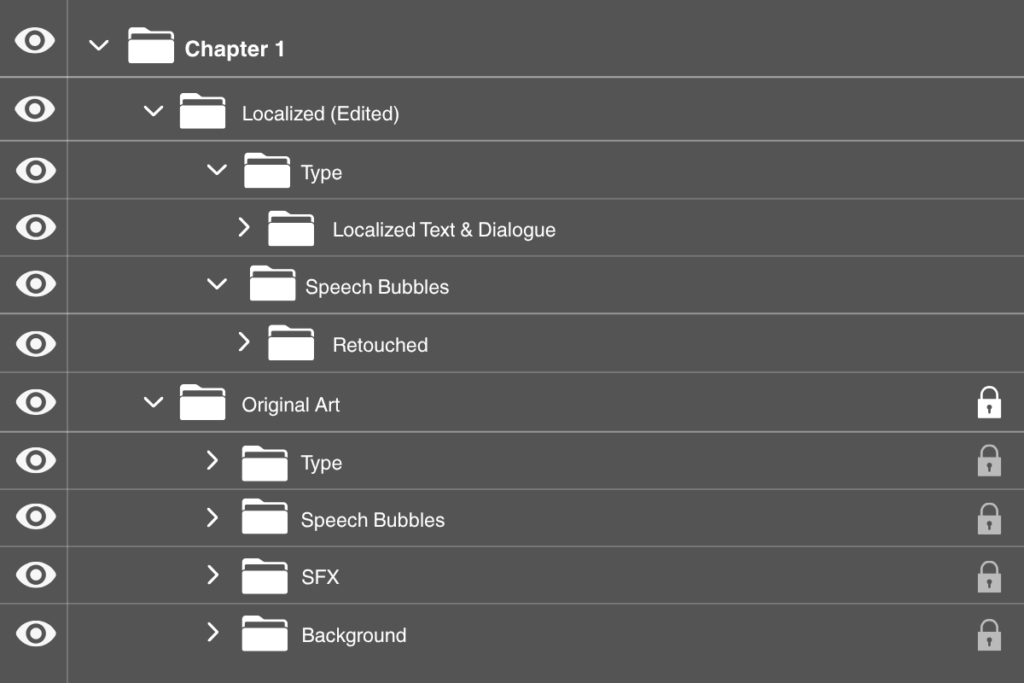
A structured file layout is an underrated essential for collaborative localization pipelines, enabling smooth handoffs between retouchers, typesetters, quality assurance (QA), and production managers.
Layer Naming & Organization Standard
All Master Desktop Publishing (DTP) files must follow a standardized hierarchy. Never merge layers before final archival export. Here’s a sample nested group hierarchy:
- [TYPE] (Top Group): Contains localized dialogue, sound effect text, and typesetting layers.
- [LOCALIZED SFX] (Group): Contains custom redrawn SFX art, lettering vectors, and localized layer styles (strokes, drop shadows, outer glows).
- [RETOUCHED] (Group): Contains all background reconstruction work, strictly separated into line art and base color/tone layers.
- [ORIGINAL ART] (Bottom Group, Locked): Unaltered source page file used as a reference.
Non-Destructive Best Practices
- Adjustment Layers & Masks: Never edit original pixels directly; use Adjustment Layers clipped to your art folders instead.
- Layer Masks: Erase underlying source art exclusively via Layer Masks rather than the Eraser Tool (E). This ensures instant recovery of original line details if localization layouts change during editorial review.
Cross-App Compatibility: Clip Studio Paint & Photoshop
While Clip Studio Paint is optimized for comic production and vector line work, Adobe Photoshop remains the industry standard for production management and color prepress.
- Vector Layer Preservation: When working in CSP, draw line art retouching on Vector Layers. When exporting to .PSD for Photoshop workflows, rasterize vector layers only if necessary, or preserve .PSD compatibility by rendering clean, high-resolution line outputs.
- Color Space & Blending Modes: Ensure both applications operate in RGB color profiles (typically sRGB IEC61966-2.1) to avoid hue shifts. Standardize layer blending modes across programs; stick to universally supported modes such as Multiply, Screen, Overlay, and Soft Light.
Common Retouching Mistakes to Avoid
Maintaining publishable quality requires eliminating common retouching errors that reduce visual clarity and break immersion.
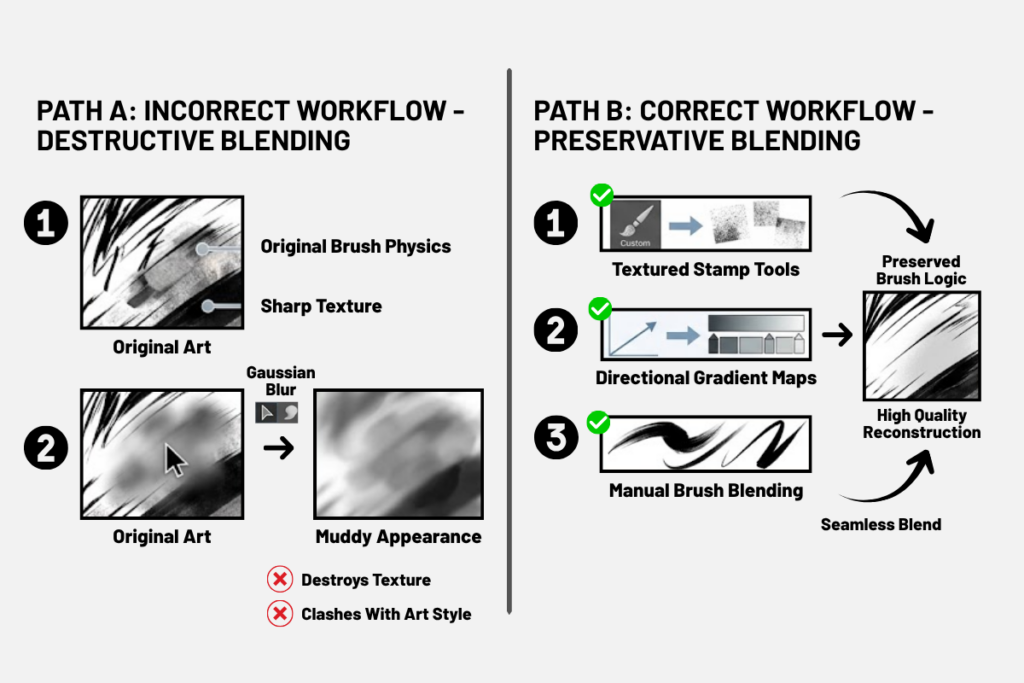
- Blending Backgrounds: Relying on the Gaussian Blur or Smudge tools to blend backgrounds beneath removed SFX destroys the original brush physics, creating a muddy look. Always use textured stamp tools, directional gradient maps, or manually blend brushes.
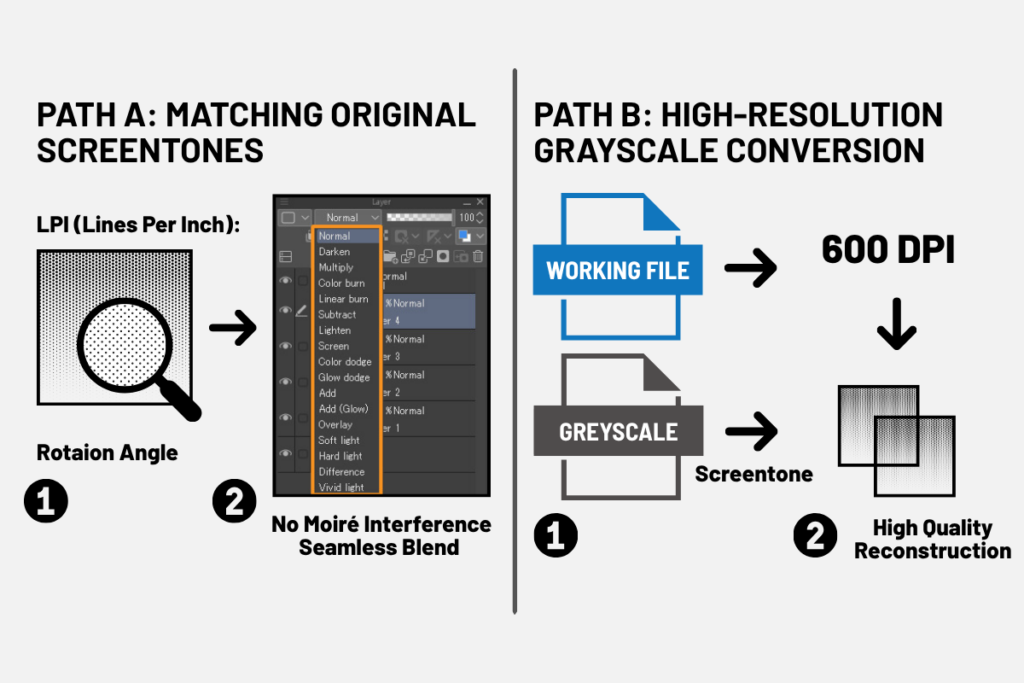
- Screentone Moiré Effects: Moiré happens when a newly added digital texture clashes with the hidden dot pattern of the original screen. To prevent this visual distortion, always match the dot density (lines per inch) and rotation angle (usually 45 degrees) of the original art. Alternatively, you can convert your working file to a high-resolution grayscale (at least 600 DPI) before touching any screentones.
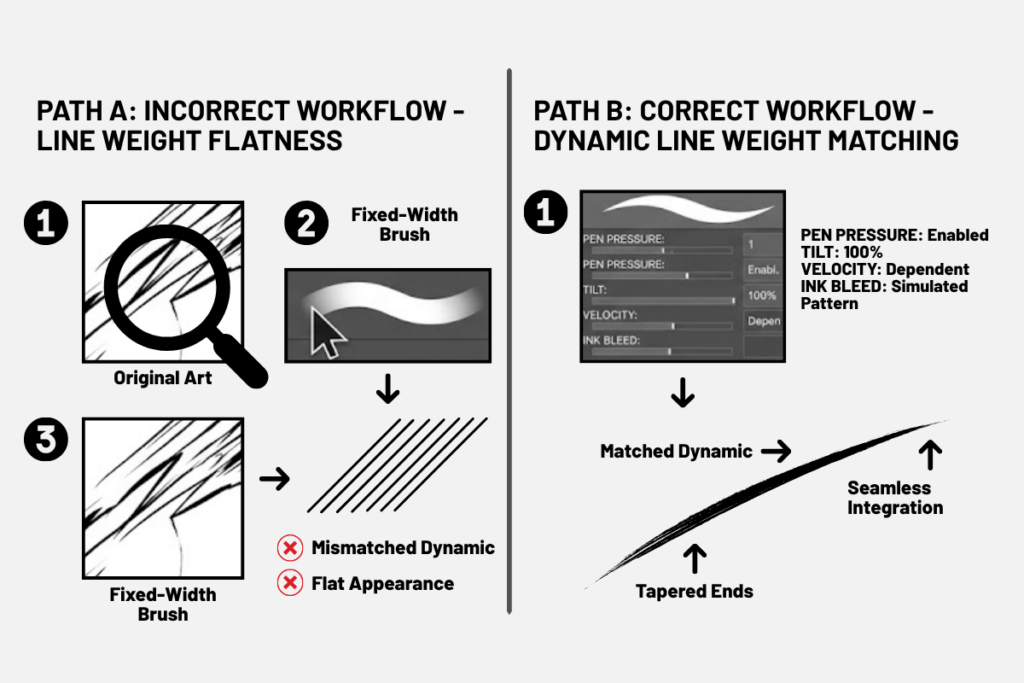
- Line Weight Flatness: Redrawing missing line art with a fixed-width brush produces dead, synthetic-looking lines. Retouchers must match the original artist’s dynamic line weight, accounting for pen pressure, tilt, stroke velocity, and ink bleed.
How Creative Connections & Commons (CCC) Delivers
As localization demand scales, managing high volumes of intricate background reconstruction in-house quickly becomes a major operational bottleneck. Partnering with a specialized production studio helps you protect turnaround times without sacrificing quality.
At CCC, we deliver enterprise-grade redrawing, retouching, and background reconstruction for vertical webtoon localization pipelines. We combine deep mastery of East Asian comic formats with refined, multi-layered DTP workflows. Our specialized in-house team handles the most demanding background reconstruction challenges, including re-architecting complex perspective grids, restoring intricate anatomical details hidden beneath sound effects, and repainting painterly webtoon environments. This lets publishers scale production seamlessly while maintaining strict artistic fidelity.
Our Core Capabilities:
- Advanced SFX Isolation & Redrawing: We seamlessly extract and reconstruct complex, multi-layered line art, screentones, and gradients across panel boundaries through our manga typesetting and localization services.
- End-to-End Vertical Reformatting: We bring extensive expertise in converting legacy print grids into mobile-optimized vertical scroll layouts, with precise gutter spacing and flawless visual continuity, through our manga verticalization services.
- Standardized Multi-Layer DTP Pipeline: We maintain non-destructive, multi-software layer organization across Clip Studio Paint and Adobe Photoshop as part of our webtoon translation and typesetting workflow, ensuring smooth handoffs and fully flexible editorial reviews.
Conclusion & Next Steps
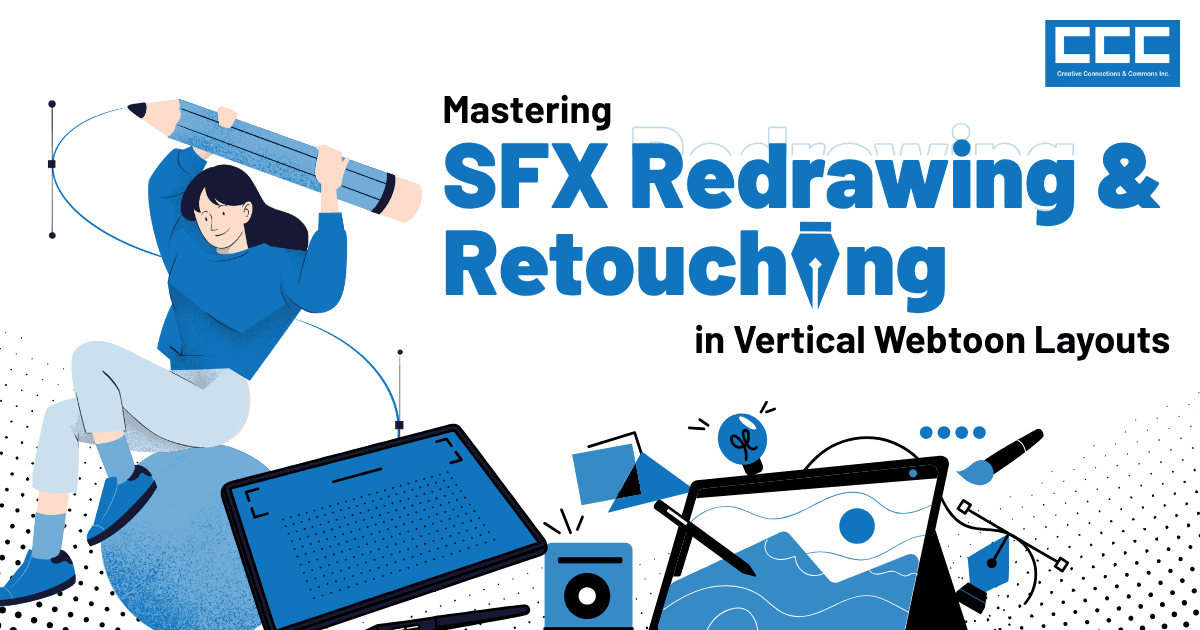
Mastering SFX redrawing and background retouching comes down to combining sharp artistic judgment with disciplined technical execution. When production teams enforce clean asset isolation, master perspective and anatomical restoration, and stick strictly to non-destructive layer workflows, the result is a seamless reading experience that respects the original artist’s vision.
Recommended Action Items:
- Audit Your DTP Standards: Update internal and vendor production guidelines to require non-destructive file structures and strict layer-naming conventions across every project.
- Calibrate Your Toolsets: Build and distribute shared brush libraries, custom gradient presets, and screentone patterns tailored to your core localized titles.
- Establish Rigorous Quality Checks: Implement a systematic QA process that specifically targets line-weight fidelity, screentone moiré prevention, and cross-panel scroll alignment.